Azure Role-Based Access Control (RBAC)
| Project Category | Cloud Identity and Access |
|---|---|
| Platform | Microsoft Azure |
| Core Technologies | Microsoft Entra ID, Azure RBAC |
| Project Focus | Least privilege and scoped role assignments |
Project Overview
This project demonstrates the implementation of Azure Role-Based Access Control (RBAC) to enforce the Principle of Least Privilege within a Microsoft Azure environment. The objective was to provide users with only the permissions required to perform their responsibilities while preventing unauthorized access to cloud resources.
1. Business Scenario
A company is migrating its infrastructure to Microsoft Azure and requires a secure access management model. Different departments need different permission levels to manage cloud resources without compromising security.
The environment was designed to separate administrative, operational, development, and auditing responsibilities using Microsoft Entra ID Security Groups and Azure RBAC.
2. Project Objectives
Design a secure Azure RBAC model.
Implement Microsoft Entra ID Users and Security Groups.
Assign Azure built-in roles using Security Groups.
Apply the Principle of Least Privilege.
Validate role assignments for different operational teams.
3. Environment
| Component | Value |
| Cloud Platform | Microsoft Azure |
| Identity Platform | Microsoft Entra ID |
| Resource Group | rg-identity-prod |
| Virtual Network | vnet-identity-prod |
| Storage Account | stidentityprod001 |
| Log Analytics Workspace | rg-identity-prod (deployed under the Log Analytics workspace resource type) |
| Region | East US 2 |
Note: the Log Analytics workspace was deployed using the same name as the resource group (rg-identity-prod) rather than a separate name such as "law-identity-prod" — this reflects the actual resource name used in the lab.
4. Project Architecture

Users are placed into Microsoft Entra ID security groups, and Azure RBAC roles are assigned to those groups at the appropriate scope. Contributor, Reader, and Virtual Machine Contributor are applied at the resource-group scope, while Storage Blob Data Reader is restricted to the Storage Account to demonstrate finer-grained access.
5. Implementation
5.1 Create the Resource Group
A dedicated Resource Group was created to isolate all project resources and simplify permission management.
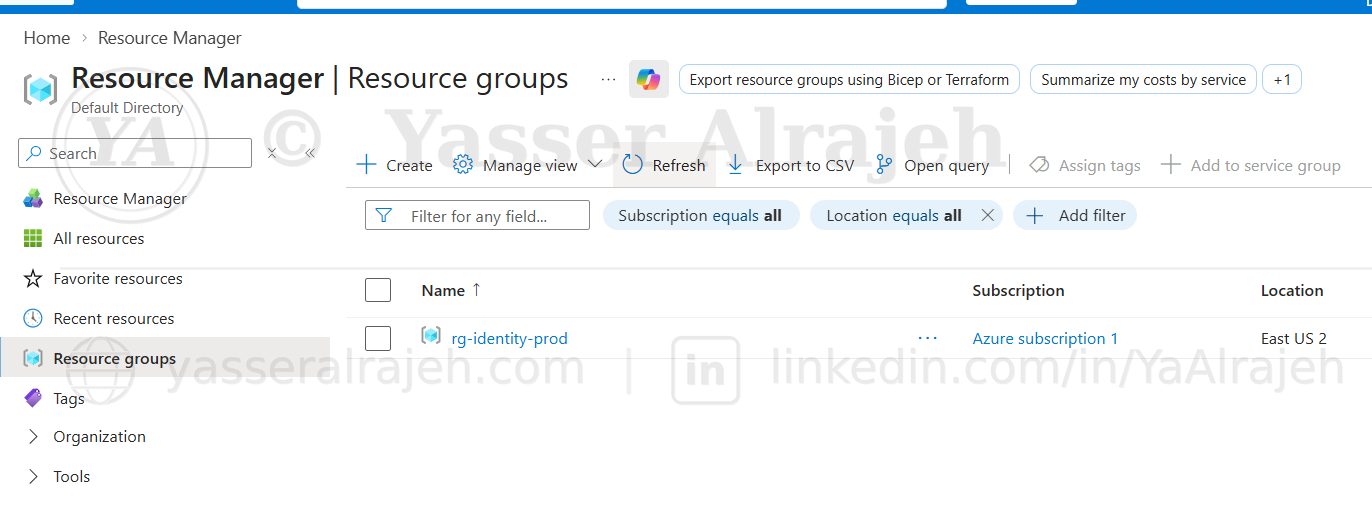
Resource Manager — Resource groups showing rg-identity-prod in East US 2.
5.2 Deploy the Virtual Network
A Virtual Network was deployed using a private IPv4 address space.
Configuration:
Address Space: 10.10.0.0/16
Default Subnet: 10.10.1.0/24
This network provides the foundation for hosting future Azure workloads.
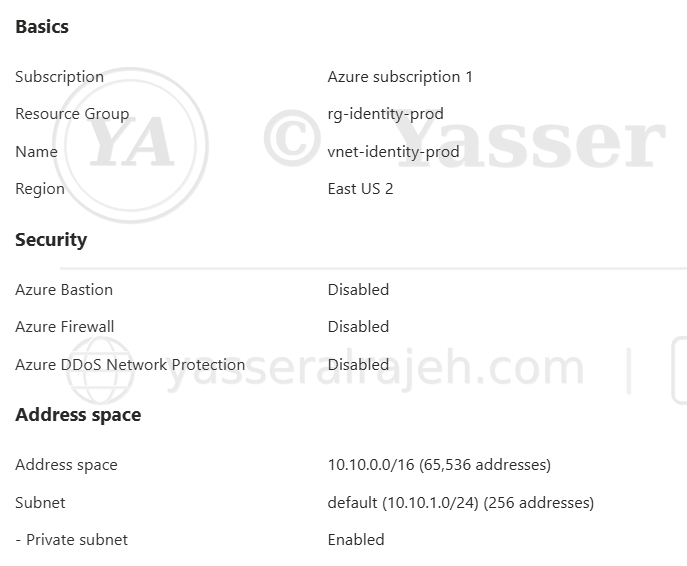
Virtual network review — vnet-identity-prod with address space 10.10.0.0/16 and default subnet 10.10.1.0/24.
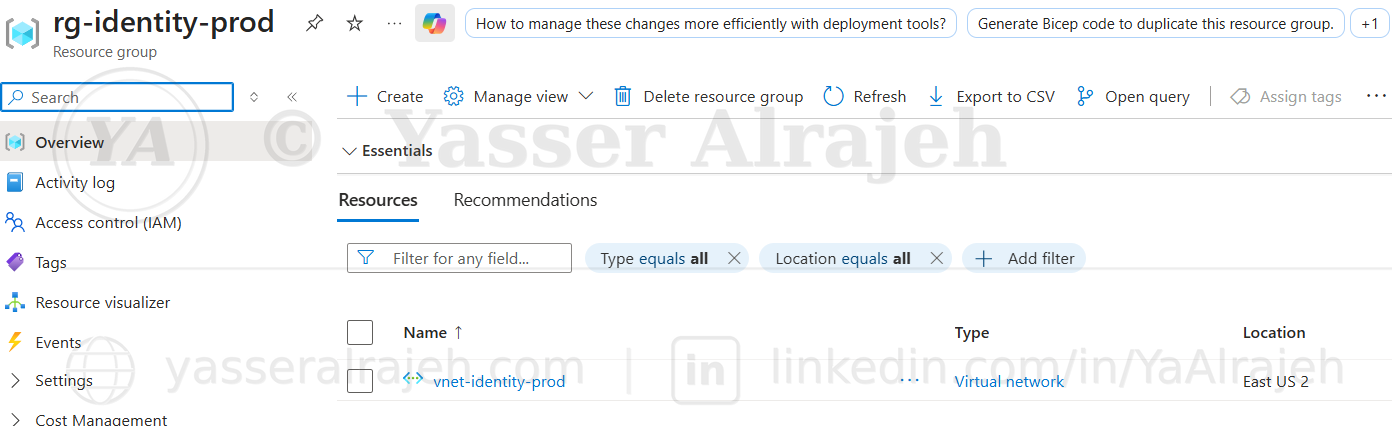
Resource group confirming vnet-identity-prod deployed in East US 2.
5.3 Deploy the Storage Account
An Azure Storage Account was deployed to demonstrate RBAC assignments at the resource level.
Configuration:
Performance: Standard
Replication: Locally Redundant Storage (LRS)
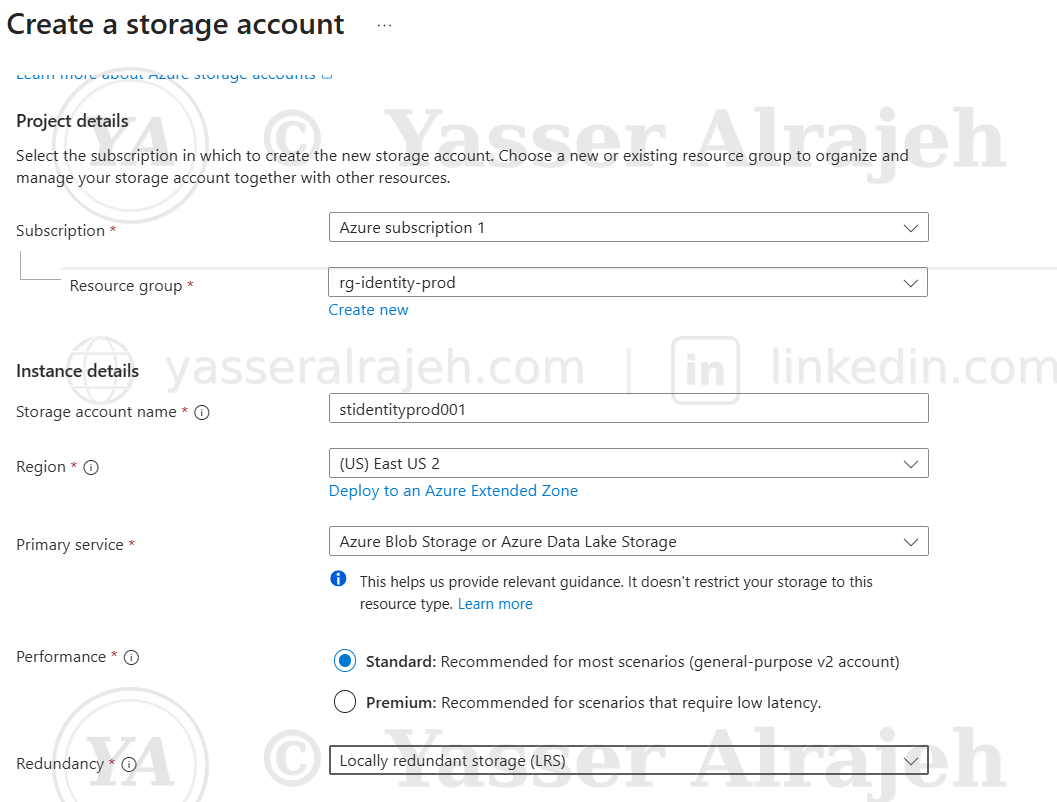
Create a storage account — stidentityprod001, Standard performance, LRS replication.
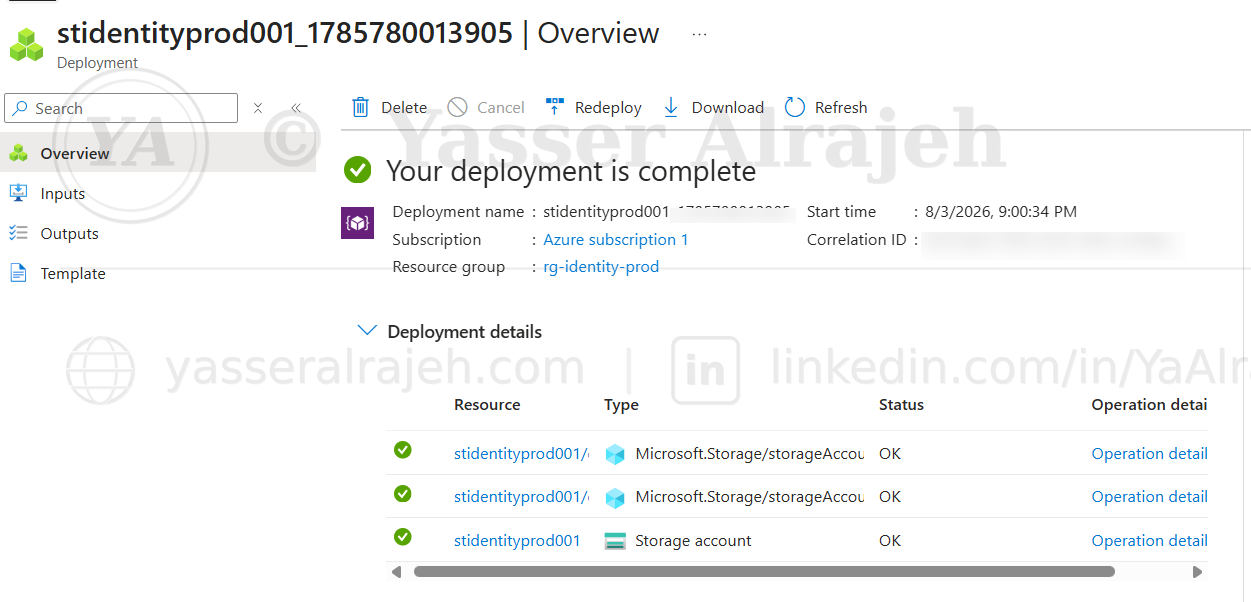
Storage account deployment completed successfully.
5.4 Deploy Log Analytics Workspace
A Log Analytics Workspace was created to support centralized monitoring and future security logging.
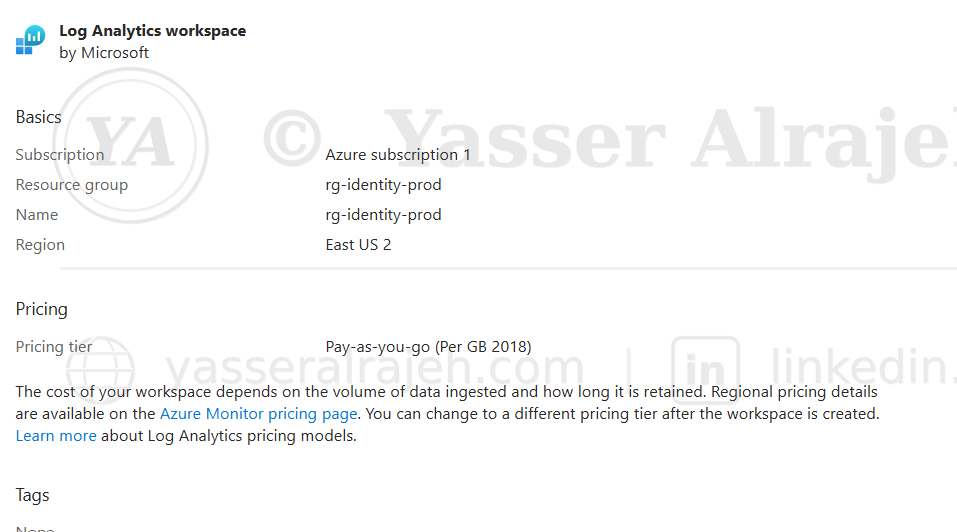
Log Analytics workspace — Basics tab, Pay-as-you-go pricing tier, East US 2.
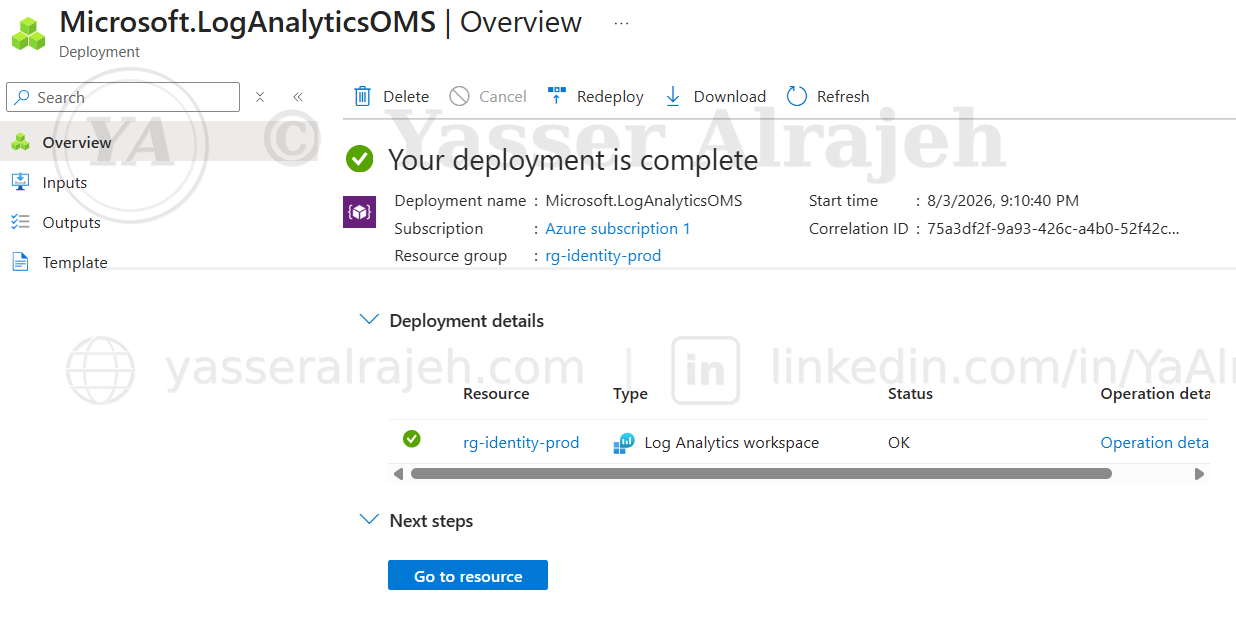
Log Analytics workspace deployment completed successfully.
5.5 Verify Resource Deployment
All deployed resources were verified inside the Resource Group.
Resources:
Virtual Network
Storage Account
Log Analytics Workspace
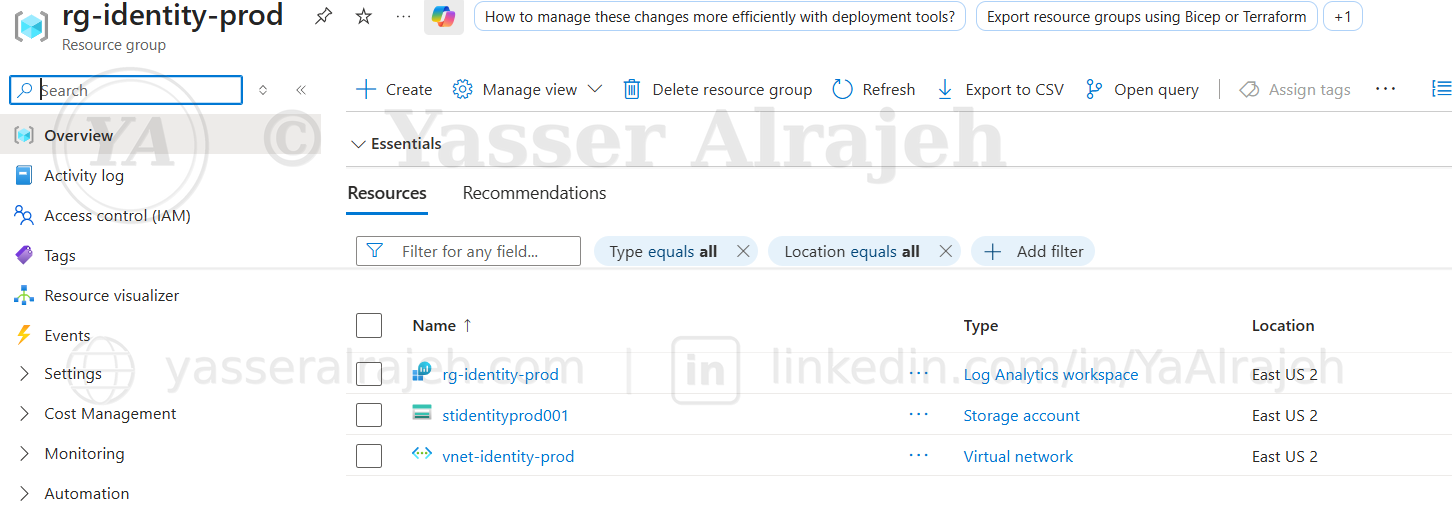
rg-identity-prod — all three resources confirmed: Log Analytics workspace, Storage account, and Virtual network.
5.6 Create Microsoft Entra ID Users
Cloud users were created to represent different operational roles.
| User | Department |
| Ahmed Admin (IT Admin) | IT Administration |
| Sara Helpdesk | Help Desk |
| Omar Developer | Development |
| Noura Auditor | Security Audit |
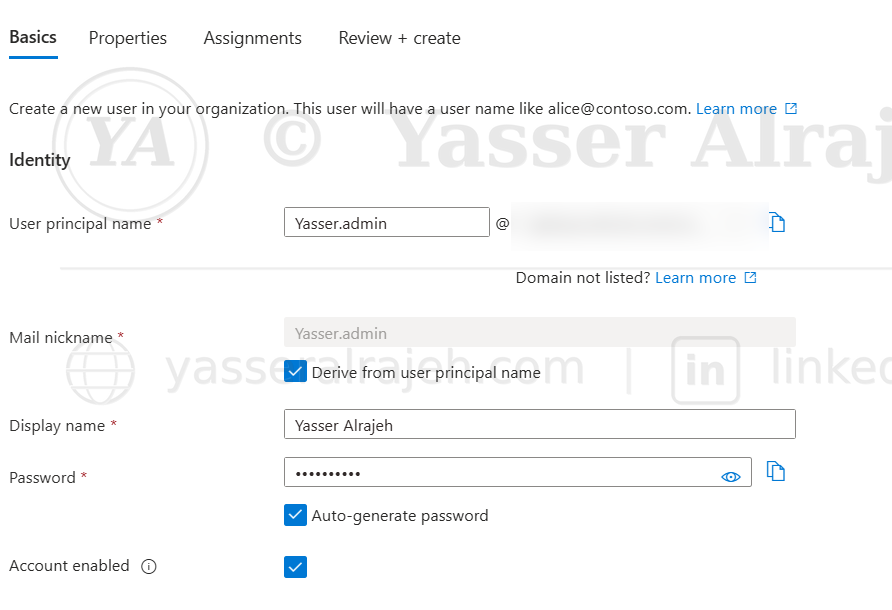
Microsoft Entra ID — Create a new user (tenant domain redacted for privacy).
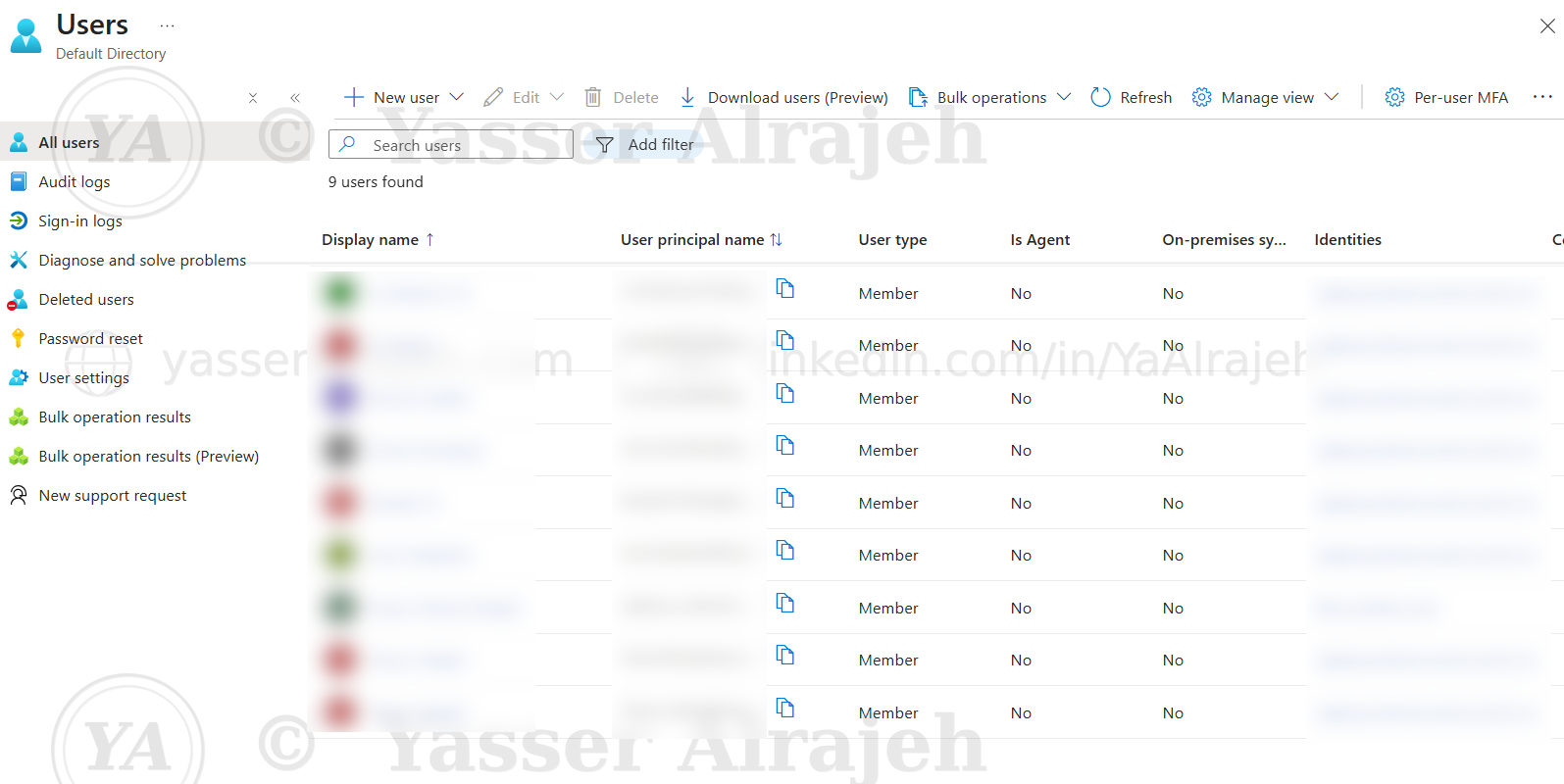
Users list confirming the created accounts (user principal names and identities redacted for privacy).
5.7 Create Security Groups
To simplify permission management, Security Groups were created.
Groups:
grp-it-admins
grp-helpdesk
grp-developers
grp-auditors
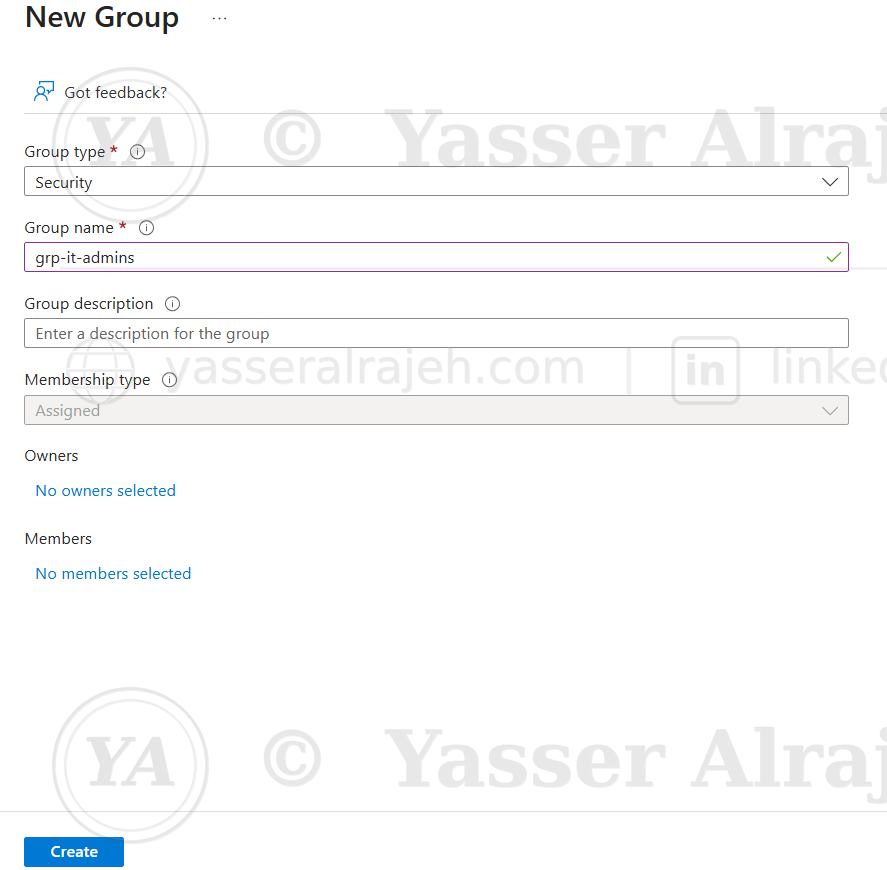
Creating the grp-it-admins security group.
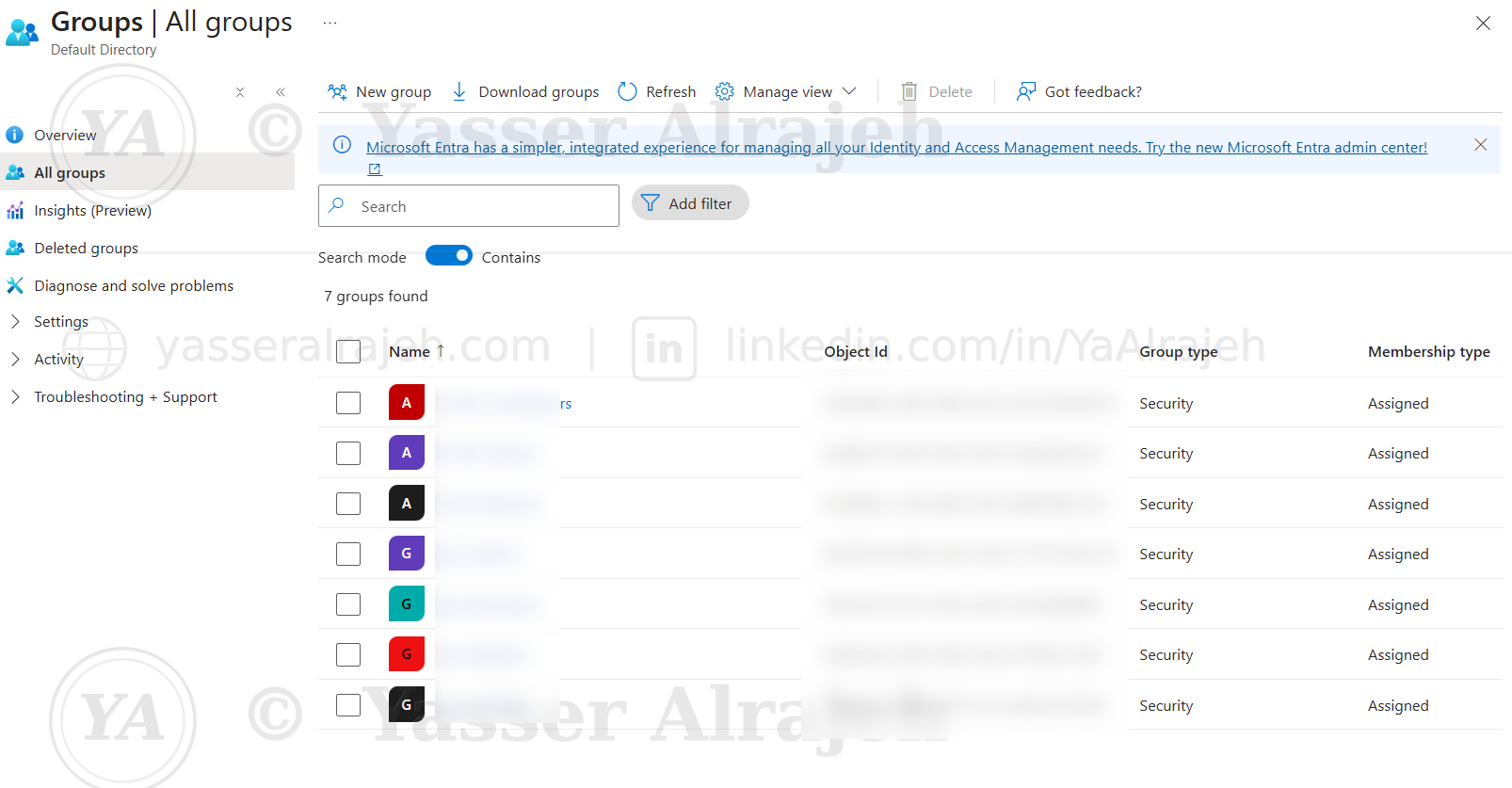
All groups confirmed: grp-it-admins, grp-helpdesk, grp-developers, grp-auditors.
5.8 Add Users to Groups
Each user was assigned to the appropriate Security Group.
| User | Group |
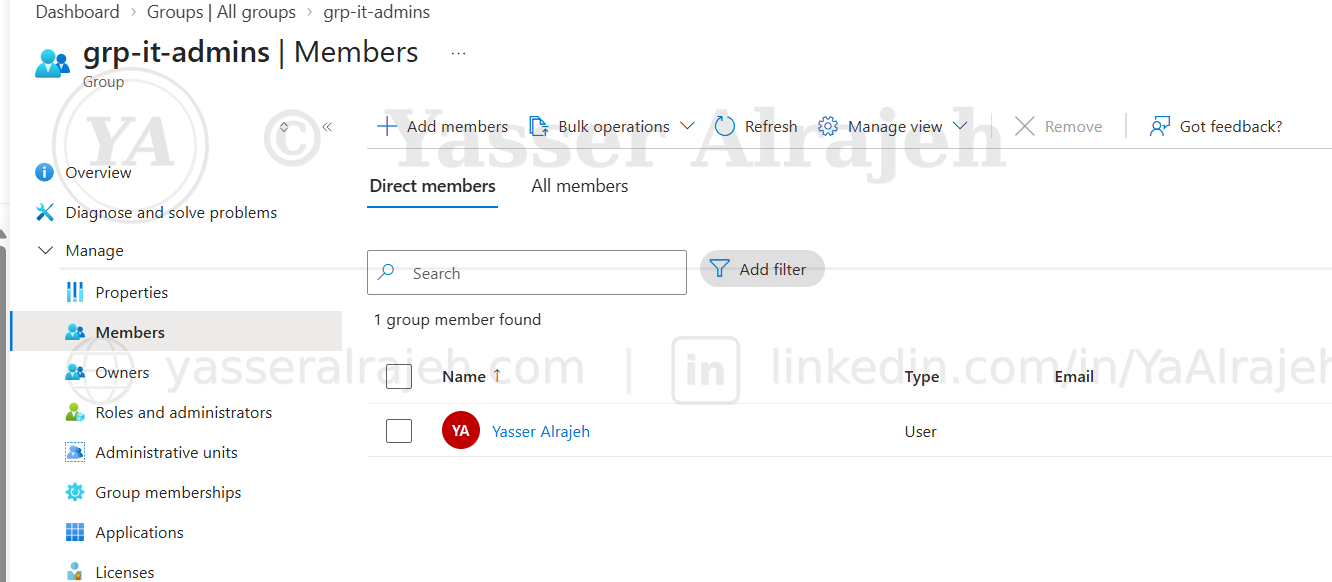
| Ahmed Admin | grp-it-admins |
| Sara Helpdesk | grp-helpdesk |
| Omar Developer | grp-developers |
| Noura Auditor | grp-auditors |
grp-it-admins — confirming group membership.
5.9 Configure Azure RBAC
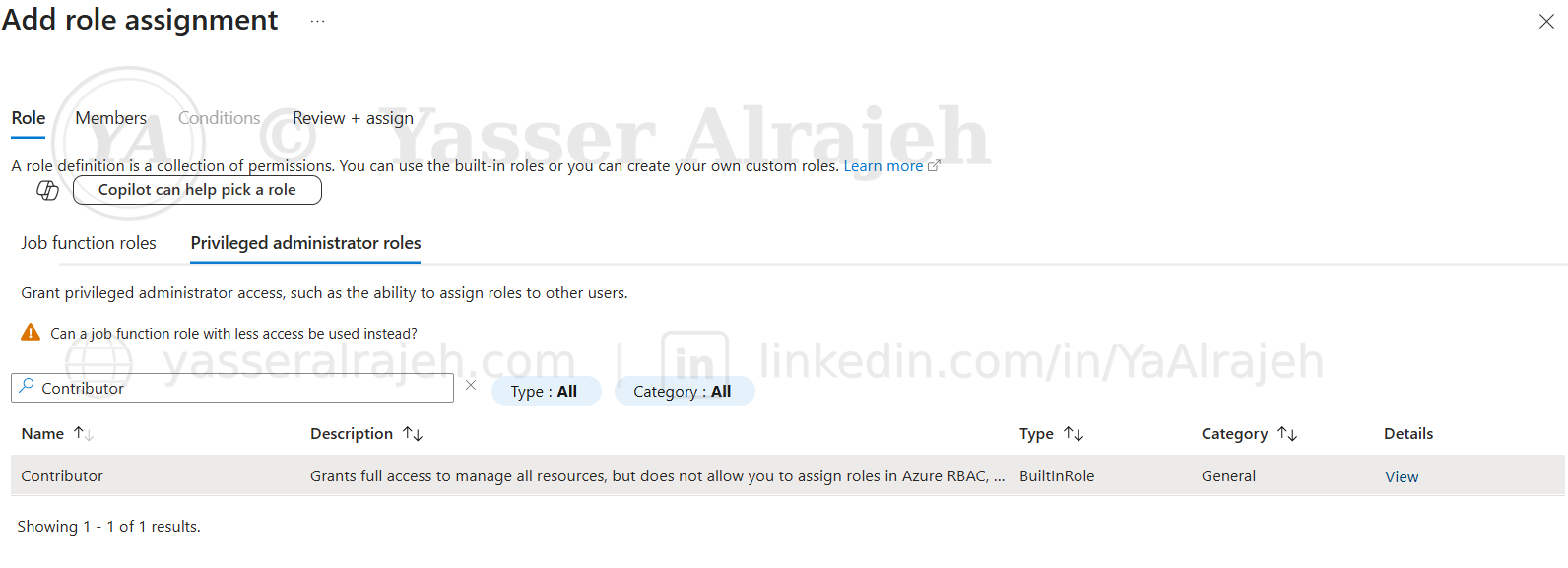
Azure Built-in Roles were assigned to Security Groups instead of assigning permissions directly to users.
| Security Group | Azure Role |
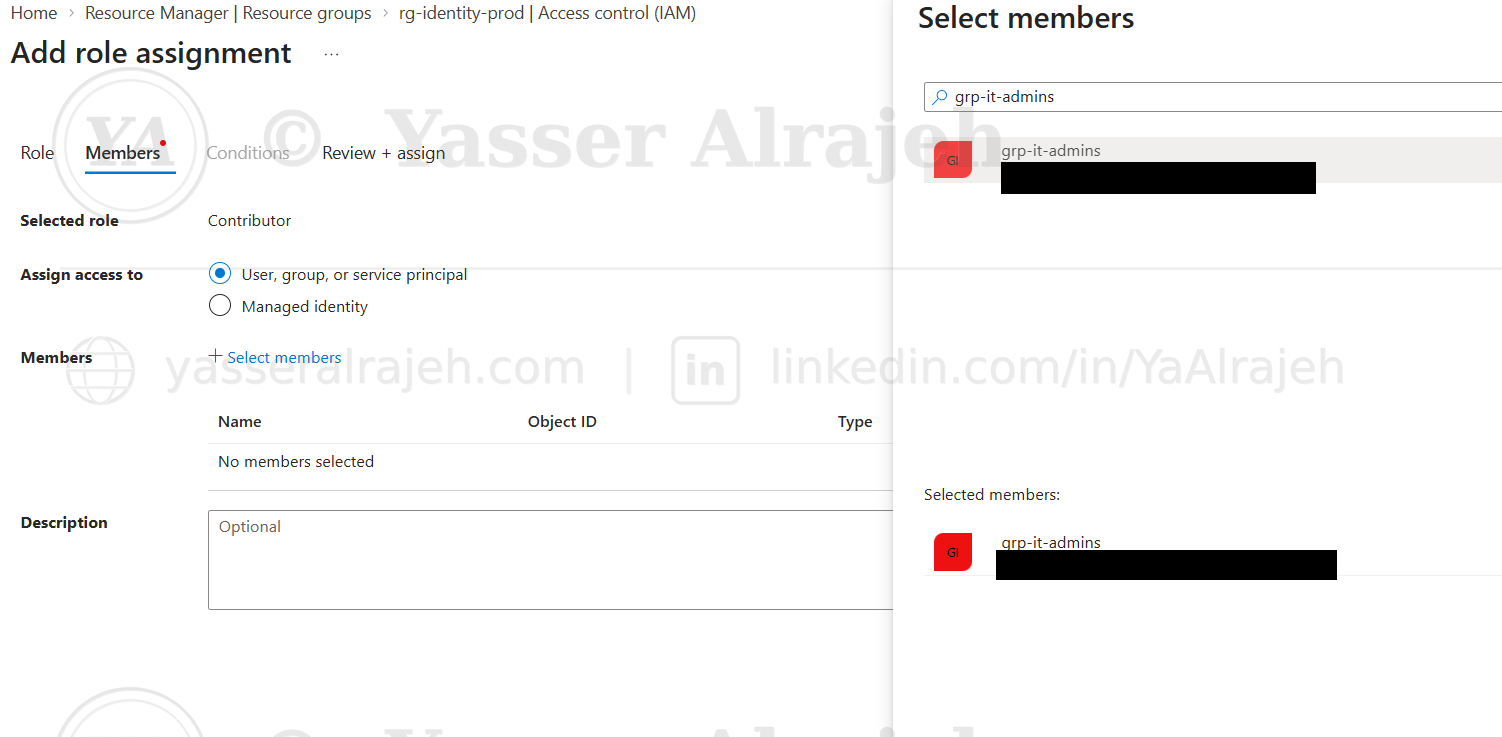
| grp-it-admins | Contributor |
| grp-helpdesk | Reader |
| grp-developers | Virtual Machine Contributor |
| grp-auditors | Storage Blob Data Reader |
This approach improves scalability and simplifies future user onboarding.
Add role assignment — selecting the Contributor built-in role.
Assigning the Contributor role to the grp-it-admins security group.
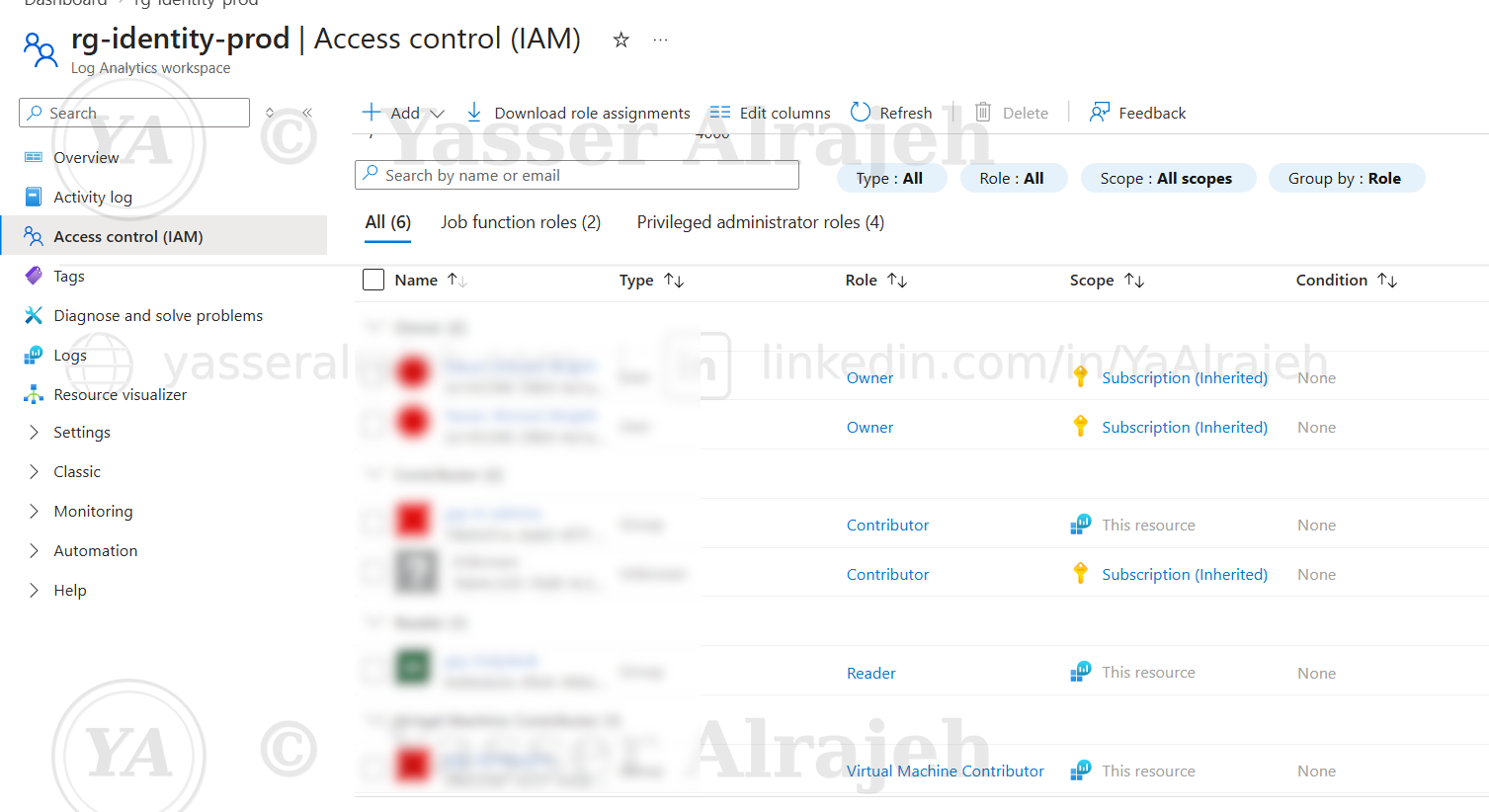
Consolidated role assignments on rg-identity-prod confirming Contributor, Reader, and Virtual Machine Contributor scoped to the resource.
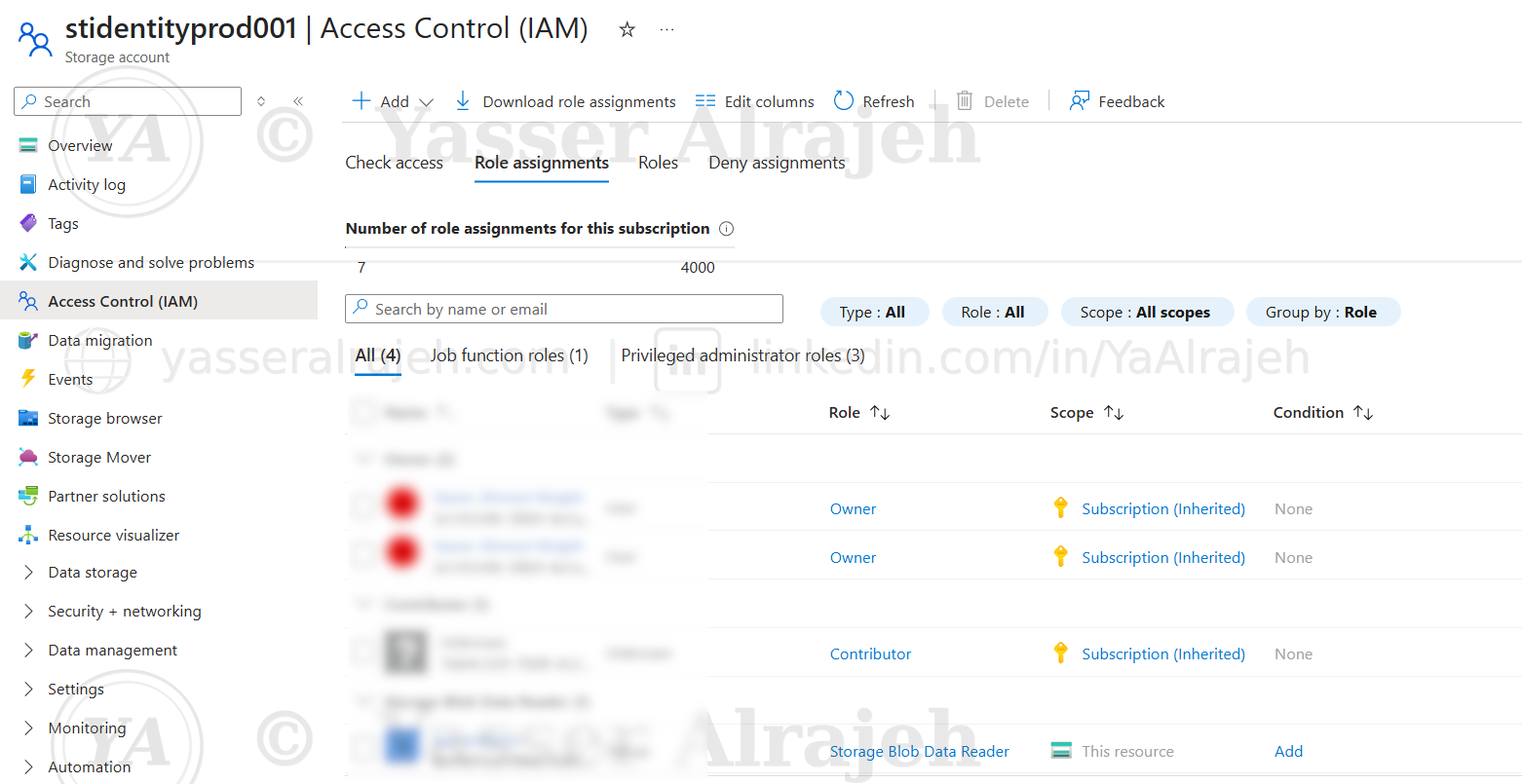
5.10 Storage Account Permission Assignment
The Security Audit team received Storage Blob Data Reader permissions on the Storage Account only.
This demonstrates resource-level RBAC assignments instead of subscription-wide permissions.
stidentityprod001 Access Control (IAM) — grp-auditors assigned Storage Blob Data Reader, scoped to this resource.
5.11 Access Validation
To validate the configuration end-to-end, a sign-in was tested using one of the accounts assigned through the RBAC model.
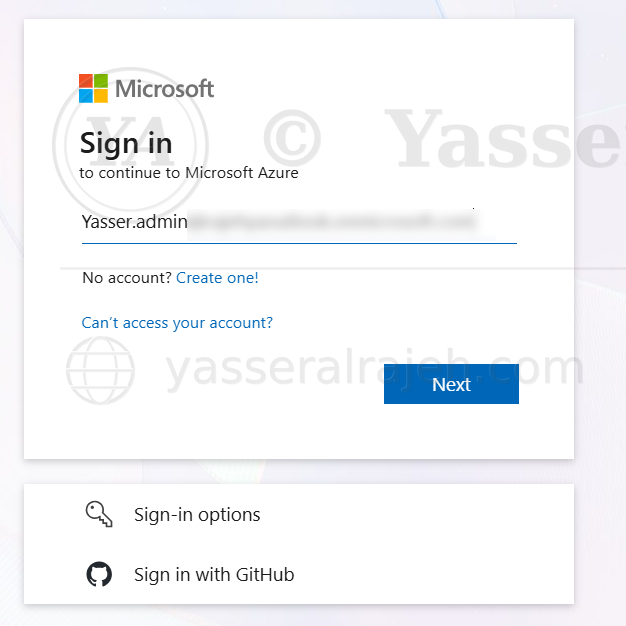
Microsoft sign-in prompt reached during the validation attempt. Full access validation was not completed because Microsoft Authenticator approval was required.
Project Outcome
The lab established a centralized, group-based authorization model with permissions separated by operational responsibility and scope. The configuration demonstrates least privilege and separation of duties while accurately documenting that final user-level access validation remained incomplete due to the Microsoft Authenticator requirement.
6. Security Design
The environment follows Microsoft's recommended access control model.
Implemented controls include:
Microsoft Entra ID Security Groups
Azure Built-in Roles
Role Assignment using Groups
Resource-Level Permissions
Least Privilege Access
Separation of Duties
7. RBAC Matrix
| Team | Permission Level |
| IT Administration | Contributor |
| Help Desk | Reader |
| Developers | Virtual Machine Contributor |
| Security Audit | Storage Blob Data Reader |
8. Key Achievements
Successfully implemented Azure RBAC.
Applied Least Privilege principles.
Managed permissions using Security Groups.
Assigned permissions at both Resource Group and Resource levels.
Created a scalable identity and access management model.
9. Skills Demonstrated
Microsoft Azure
Microsoft Entra ID
Azure RBAC
Identity and Access Management (IAM)
Least Privilege
Security Groups
Azure Resource Manager
Cloud Security Governance
10. Lessons Learned
Assign permissions to Security Groups rather than individual users.
Limit administrative privileges to reduce security risks.
Apply resource-level permissions whenever possible.
Use RBAC to simplify access management in enterprise cloud environments.